
Download Site Soap – Free Mac HTML Optimizer & Validator
Overview
Site Soap is a lightweight, trial‑version utility designed exclusively for macOS users who need a fast, reliable way to validate and optimise their entire website’s HTML code. First released in the early 2000s and last updated on 8 January 2006 (version 1.3.1), the program still enjoys a modest but loyal following among web developers, designers, and hobbyists who work on Mac OS X and earlier Mac operating systems. Though the download count sits at just over a hundred since its inclusion in our catalogue, the tool’s simplicity, low‑storage footprint, and focus on core validation tasks make it a handy addition to any Mac‑based development toolbox. Site Soap runs entirely in English, fitting neatly into the Development → Internet → HTML Validators & Optimizers subcategory. Whether you’re polishing a personal blog, checking a client‑side prototype, or simply want a quick sanity check before pushing code to production, Site Soap offers a straightforward, no‑frills approach to catching syntax errors, broken tags, and other common HTML issues that could affect page rendering, SEO performance, or accessibility compliance.
Key Features
- Full‑Site Scanning: Analyses every HTML page within a selected folder or remote site, ensuring no file is left unchecked.
- Real‑Time Validation: Highlights errors and warnings instantly as you load each page, with colour‑coded markers for easy identification.
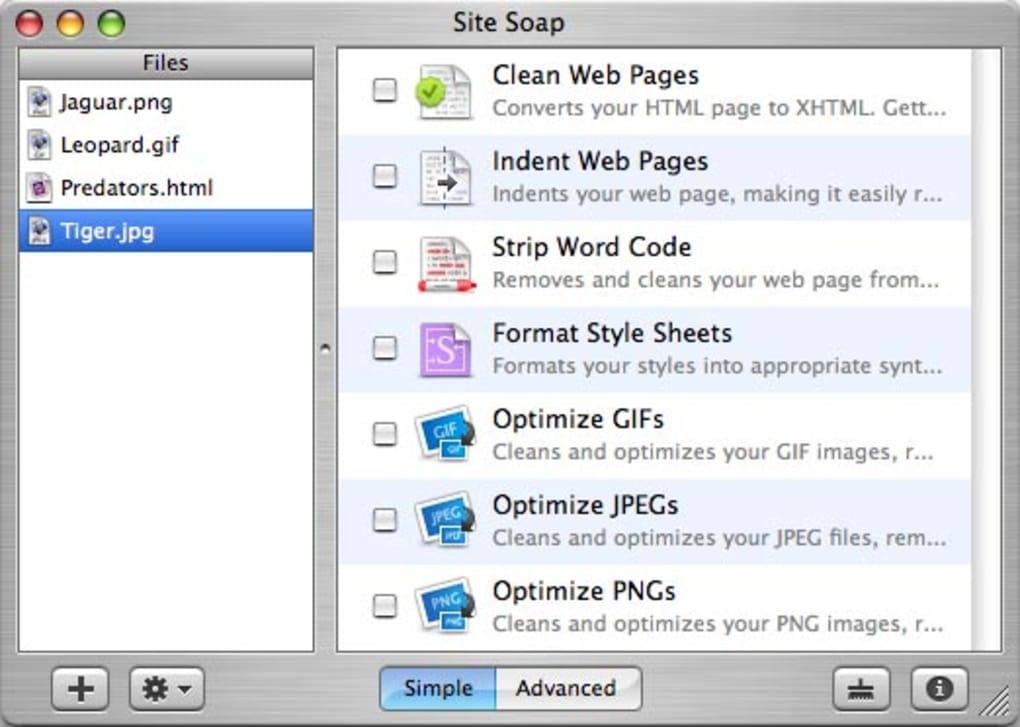
- Optimization Suggestions: Provides concise recommendations to reduce file size, improve markup semantics, and boost page‑load speed.
- Lightweight Architecture: Consumes minimal disk space and memory, making it ideal for older Mac hardware.
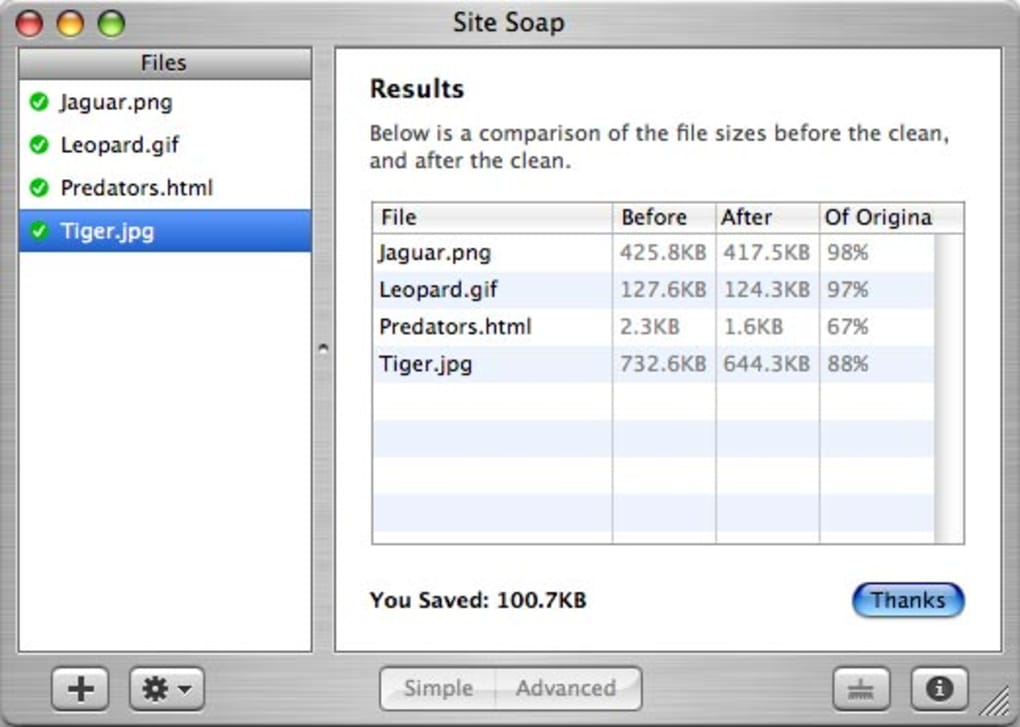
- Exportable Reports: Generates plain‑text or HTML reports that can be shared with teammates or archived for compliance audits.
- Trial‑Only Restrictions: Offers a full‑feature evaluation period, after which users can decide whether to purchase the full license.
- Mac‑Specific Integration: Seamlessly fits into the macOS ecosystem, supporting drag‑and‑drop from Finder and native menu shortcuts.
Installation, Usage & Compatibility
Installing Site Soap on your Mac is as straightforward as any native macOS application. Follow these steps to get up and running:
- Download the Installer: Click the “Download Site Soap” button below the article. The file is a compressed
.dmgpackage, typically under 5 MB. - Mount the Disk Image: Double‑click the
.dmgfile. macOS will open a virtual drive on your desktop. - Copy to Applications: Drag the Site Soap icon into your
/Applicationsfolder. This step registers the app with Launchpad and the system’s security framework. - Run the Program: Open Site Soap from the Applications folder or via Spotlight. The first launch may prompt you to confirm that you trust the developer; click “Open” to continue.
- Activate the Trial: Upon start‑up, a dialog will appear asking you to accept the trial licence. Click “Accept” to unlock the full feature set for the evaluation period.
Once installed, using Site Soap is intuitive:
- Click the “Select Folder” button and navigate to the root directory of your website.
- Press “Start Scan.” The program will crawl each HTML file, presenting a live log of detected errors.
- Review the highlighted issues in the main window. Double‑click any entry to open the source file in your default editor.
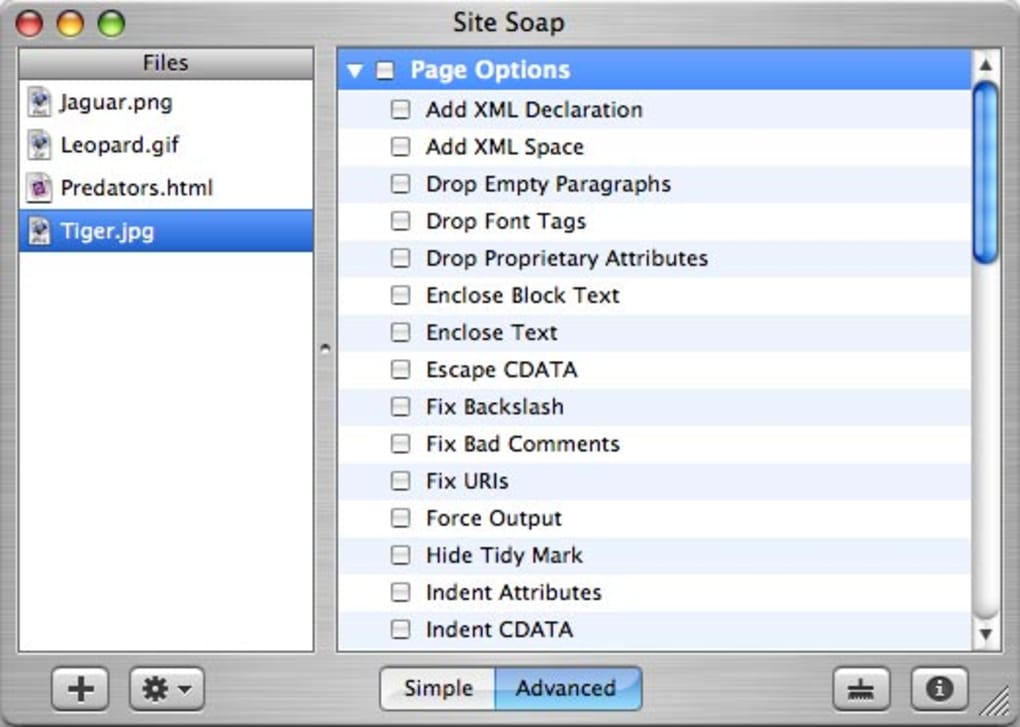
- Apply the suggested optimisation tips manually or use the built‑in “Auto‑Fix” button for simple whitespace and tag‑closure corrections.
- When finished, export a summary report via the “File → Export Report” menu.
Compatibility: Site Soap runs on Mac OS X 10.0 and later, including legacy versions such as Mac OS 9 (via Classic compatibility mode). It does not support Windows, Linux, iOS, or Android platforms, so macOS users are the sole target audience.
Pros, Cons & Frequently Asked Questions
Pros
- Extremely lightweight – ideal for older Mac hardware.
- Comprehensive site‑wide scanning saves time compared to page‑by‑page checks.
- Clear, colour‑coded error display makes debugging fast.
- Exportable reports help with client communication and compliance documentation.
- No additional plugins or internet connection required after installation.
Cons
- Trial version only; full licence requires purchase.
- Last updated in 2006 – may miss newer HTML5 or CSS3 validation rules.
- Lacks integration with modern CI/CD pipelines or command‑line automation.
- Mac‑only – no Windows or Linux counterpart.
- User interface feels dated compared to contemporary web‑dev tools.
FAQ
Is Site Soap still safe to download in 2025?
Yes. The installer is hosted on a reputable software archive and the program is read‑only once installed, so it does not contact external servers or expose your system to malware.
Can Site Soap validate HTML5 documents?
The core engine was built before HTML5 became mainstream, so it primarily checks for HTML 4/XHTML compliance. It will still flag obvious syntax errors in HTML5 files, but it may miss newer element‑specific rules.
Do I need an internet connection to run Site Soap?
No. Once the application is installed, all validation is performed locally on your Mac. An internet connection is only required to download updates or the initial installer.
How does the trial licence work?
When you launch Site Soap for the first time, a dialog asks you to accept the trial terms. The trial remains active for 30 days or until you close the application 50 times—whichever occurs first. After that, you must purchase a licence to continue using the full feature set.
Can I export the validation report in a format compatible with other tools?
Yes. Site Soap lets you export reports as plain‑text (.txt) or HTML (.html). The HTML version includes colour‑coded error listings that can be viewed in any web browser.
Conclusion & Call to Action
Site Soap remains a solid, no‑nonsense solution for Mac users who need a quick, offline HTML validator and optimiser. Its lightweight design, straightforward interface, and site‑wide scanning capability make it especially attractive for developers maintaining legacy sites or those working on older Mac hardware where modern, resource‑heavy IDEs would be overkill. While the software’s last update dates back to 2006 and it lacks the latest HTML5 and CI/CD integrations, the core functionality still delivers value for basic validation tasks, error reporting, and report generation. If you are looking for a free, secure way to audit a small‑to‑medium website on macOS without installing bulky extensions, Site Soap is worth a trial run.
Ready to give Site Soap a test drive? USD 0.00 – InStock – click the download button below, install the .dmg, and start cleaning up your HTML today. For larger projects or modern HTML5‑centric workflows, consider pairing Site Soap with a contemporary validator such as the W3C Markup Validation Service or an integrated linter within your code editor.
Happy coding, and may your pages render flawlessly!
Site Soap offers a fast, lightweight HTML validation experience for macOS users. Its site‑wide scanning and clear error highlighting are still useful today, although the lack of HTML5 support and dated UI may limit its appeal for cutting‑edge development. Overall, it earns a solid four‑star rating for its niche reliability.







